
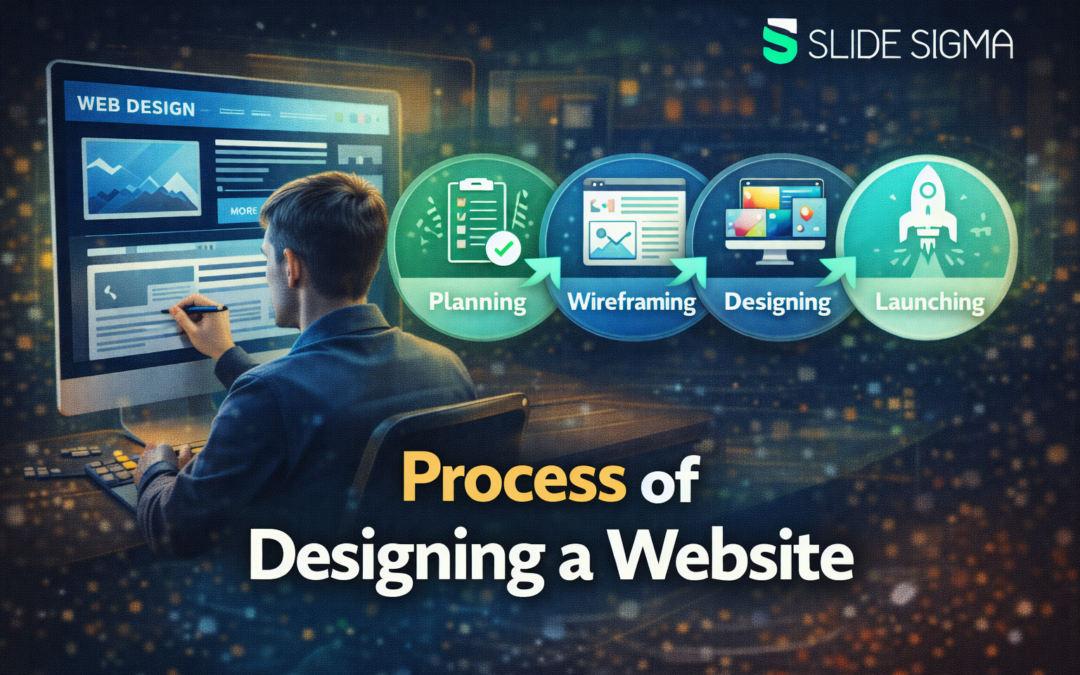
Designing a website is not about decorating pages, it is about guiding people to the right action with clarity, trust, and momentum across every screen size. When you follow a proven process of designing a website, you replace guessing with repeatable steps, reduce rework, protect your budget, and keep stakeholders aligned from the first workshop to the final QA pass.
In the next sections you will learn how to set goals, research users, structure content, wireframe flows, design a consistent UI, write SEO-ready copy, collaborate with developers, and improve performance after launch so your site stays competitive.
Step 1: Clarify goals, users, and success metrics
You start strong when you can explain the website’s job in one sentence and back it up with measurable outcomes. Define who you are designing for, what problem they want solved, and what a successful visit looks like, then write those answers down in plain language. If your stakeholders disagree, you resolve it now, because unclear goals create endless redesign cycles later, and you can keep the brief readable as it grows with this word counter during revisions.
You also choose a short list of metrics that reflect real value, not vanity. Pick targets such as form submissions, demo bookings, purchases, qualified leads, or newsletter signups, and decide how you will track them from day one. As you define metrics, use a simple checklist of constraints like timeline, budget, legal requirements, and brand rules to avoid surprise blockers.
To keep the scope realistic, you translate goals into priority features and pages. List what must exist for launch, what can ship in phase two, and what you will not build yet, then align everyone on that boundary. If you plan to connect pages with internal links later, learn what anchor text over-optimization looks like so your anchors stay natural.
Step 2: Research your audience, market, and content needs
Research turns opinions into evidence, and it helps you design decisions that hold up under pressure. You learn what your audience expects by reviewing support tickets, sales calls, FAQs, reviews, search queries, and competitor sites, then you summarize patterns instead of collecting random inspiration. When possible, you validate assumptions with quick interviews or surveys so you understand real motivations and objections, and you can draft better snippets with this meta tag generator.
You also map the journey from first impression to conversion, because different pages serve different levels of intent. A homepage often builds trust and directs navigation, while a product or service page answers specifics, and a contact page removes friction at the final step. If you document these roles early, your navigation and page layouts become easier to justify. While researching, you may also explore advertising strategies, like learning about SoundCloud ads, which can help you target users more effectively through paid media.
Content planning starts here, not after design, because content is the interface people actually read, and as you plan internal links between related topics you avoid repeating the same keyword phrase in every link so your linking stays natural. Inventory what you already have, identify gaps, and decide who owns each piece of copy, imagery, and downloads. When you do this upfront, your site avoids the common launch problem of beautiful pages filled with placeholder text.
Step 3: Create information architecture that feels effortless
Information architecture is how you organize content so users can find things without thinking. You create a sitemap that reflects user priorities, then group pages into clear categories that match how people talk, not how your org chart is structured. A simple rule helps: if a menu label needs explanation, it is probably the wrong label.
Navigation design improves when you limit choices and make paths predictable. Use a primary navigation that highlights the most important tasks, and reserve secondary links for supportive pages like policies, careers, or resources. If you sell online, remember that mobile-first navigation is non-negotiable, because mobile devices drive about 62.45% of global internet traffic, so your structure must work with thumbs first.
Before you move into visuals, you test your structure with a quick tree test or a low-effort validation session. Ask a few target users to find key information using your draft sitemap labels, then note where they hesitate or choose the wrong category. Small adjustments at this stage prevent expensive layout changes later, and if your site includes product browsing or checkout patterns, review responsive ecommerce web design best practices while your structure is still flexible.
Step 4: Wireframe layouts that prioritize clarity and flow
Wireframes let you design structure without getting distracted by colors and fonts. You sketch the layout of key templates, such as home, category, detail, landing page, and contact, and you define what each section must achieve. Keep your wireframes low fidelity at first so feedback focuses on priorities, not aesthetics.
Every wireframe should reflect the user’s next best action, not your internal wish list. Place the primary call to action where attention naturally lands, support it with proof like testimonials or results, and remove elements that compete for focus. If users must scroll, make sure the page gives them a reason to continue by using clear headings and meaningful section breaks.
Responsive behavior belongs in wireframes, not as a last-minute fix. You decide what collapses, what stacks, and what becomes a tap target on mobile, then you wireframe those breakpoints intentionally. When you document responsive rules early, development becomes faster and your design stays consistent across devices.
Step 5: Build a visual system that stays consistent
Visual design is where your brand becomes usable, and consistency is what makes it feel professional. You choose a type scale, spacing rules, color palette, and component styles, then you apply them across pages so users never need to relearn the interface. A simple design system can be a shared library of buttons, forms, cards, and navigation patterns with clear states.
You make visual hierarchy do the work so users can scan quickly. Use contrast, size, and spacing to show what matters most, and avoid decorative elements that do not support comprehension. Accessibility is not optional, so you verify color contrast, readable font sizes, focus states, and descriptive link text as you design.
Your prototypes should behave like a real website, because static mockups hide usability issues. Add realistic interactions such as menus, accordions, form validation, and error messages, and use real copy whenever you can. When stakeholders can click through a high fidelity prototype, decisions become faster and more objective.
Step 6: Write content that supports UX and search intent
You write for real people first, but you also structure content so search engines can understand it. Start with clear page goals, then draft headings that match user questions, and build sections that answer those questions in a logical order. Keep sentences direct, replace jargon with plain words, and use examples that make the message concrete.
SEO becomes easier when you design your content structure alongside your page templates. Use one clear H1 per page, organize topics with H2 and H3 headings, and connect related pages with internal links that match intent. When you align the page structure with the way people search, you improve both readability and rankings.
You also optimize the details that improve click-through and comprehension. Write meta titles and descriptions that describe the benefit, keep URLs readable, and add alt text that explains images for both accessibility and search. When you treat content as part of the interface, your pages feel trustworthy and they convert better.
Step 7: Hand off to development without losing quality
A clean handoff is less about files and more about shared understanding. You provide annotated designs, component definitions, spacing rules, and interaction notes, and you stay available to answer questions fast. When designers and developers align on a component library, you reduce drift between what was designed and what ships.
You also plan technical requirements that affect the user experience. Define performance budgets, tracking needs, forms, integrations, and content management workflows so you are not improvising in production. If you are choosing a CMS, think about who will update the site, what approval steps exist, and how content will be structured for reuse, especially because WordPress alone is used by 42.8% of all websites in W3Techs tracking.
During build, you review the site in progress and treat feedback like quality control, not personal critique. Check key pages on multiple devices, verify typography and spacing, and confirm that interactive states match the prototype. Small fixes during implementation save far more time than redesigning after launch.
Step 8: Test, measure, and fix what users actually experience
Testing is where you protect your reputation, because users do not care why something broke. You run usability tests on realistic tasks, and you also do functional QA for forms, navigation, search, filters, and tracking events. Cross-browser checks matter, because layout issues often appear where you least expect them.
Performance testing deserves special attention, because speed affects both satisfaction and results. Google research has shown that when load time increases from 1 second to 3 seconds, the probability of bounce rises by 32%, which is a painful loss you can often prevent with smart optimization. You improve speed by compressing images, reducing scripts, using caching, and measuring Core Web Vitals before you call the site ready.
Accessibility checks are also part of quality, not a separate project. You test keyboard navigation, screen reader labels, focus order, and contrast, and you fix issues that create invisible barriers for users. When you treat accessibility as a launch requirement, your website becomes stronger for everyone.
Step 9: Launch, iterate, and keep the website healthy
A launch is a beginning, not a finish, so you plan what happens after publishing. You verify redirects, set up analytics dashboards, submit sitemaps to search tools, and confirm that tracking reflects your key metrics. If you migrate from an old site, you preserve valuable URLs and fix broken links quickly.
Promotion works best when it connects to the pages you designed for specific intent. Share the right landing pages in campaigns, align messaging with the copy on the page, and test small changes like headings and button labels. Use data to decide what to improve, because opinions feel persuasive even when they are wrong.
Maintenance is where your long-term rankings and trust come from. You keep plugins and dependencies updated, monitor uptime, review search performance, and refresh content that falls behind competitors. When you follow a consistent process of designing a website, iteration becomes routine and your site keeps improving instead of slowly decaying.
Conclusion
The process of designing a website becomes manageable when you treat it as a chain of decisions that you validate early, document clearly, and revisit with real data instead of opinions. You set goals and metrics, research users and competitors, plan information architecture, wireframe key templates, design a consistent visual system, write content that matches intent, and collaborate with development so what ships matches what you tested.
After launch you monitor speed, accessibility, and conversions, run small experiments, listen to user feedback, and keep refining pages, navigation, and content based on evidence, because steady iteration is what earns trust, keeps rankings stable, and turns a website into a business asset for years, while reducing support costs as your audience grows.